Recommendations
Overview
Based on observations from your system, DBtune provides recommendations for actions that can improve your PostgreSQL experience. The recommendations currently cover changes for parameters that require a restart to apply.
Recommendations vs. autonomous tuning
DBtune offers two ways to change parameters. Autonomous tuning tests several configurations over a tuning session and applies them for you. It works best on parameters that take effect with a reload, because each new configuration can be applied without downtime. Recommendations are one-off suggestions based on historical data from your database. A one-off change is often preferable for parameters that require restarting the database to be applied, to limit the number of restarts needed. Additionally, because you apply the recommendations yourself, the changes can be scheduled for off-peak hours.
See Tuning modes and Human in the loop for how autonomous tuning applies changes.
Where you see them
Recommendations are shown in a dedicated Recommendations section at the top of the Database dashboard, each one as its own card.
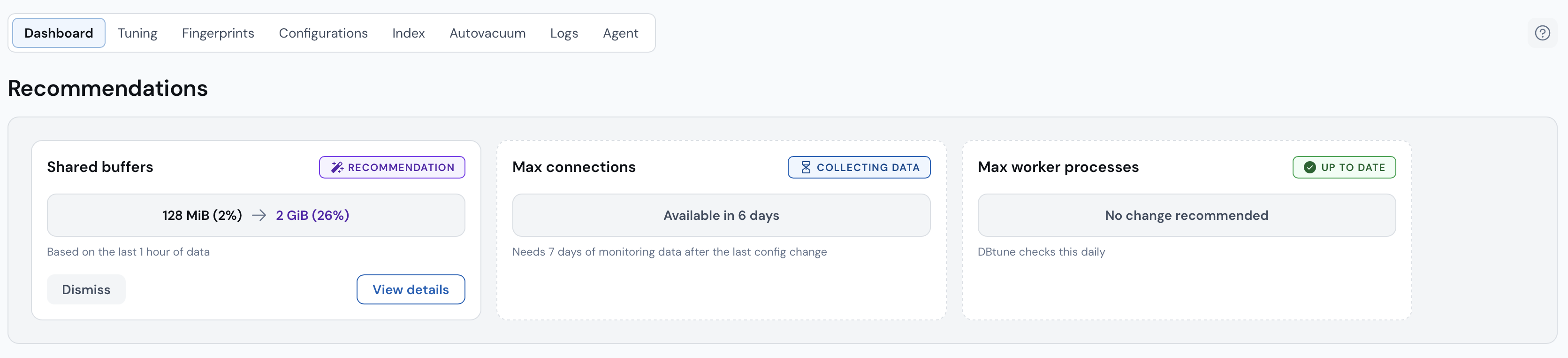
Anatomy of a recommendation card
Each card shows the change as Current → Recommendation, with a short caption explaining what the value is based on (for example, "Based on a rolling 30-day window").
Two actions are available on every card:
- View details opens a modal that explains the details of the recommendation.
- Dismiss hides the recommendation for two weeks. If the condition still holds after that window, the recommendation reappears.
- The recommended parameter changes require a PostgreSQL restart to take effect.
- DBtune does not apply those changes for you.
Recommendation cadence
The recommendations are recalculated once a day and after certain event triggers, such as updating the PostgreSQL configuration and after a tuning session.
Available recommendations
max_connections
DBtune recommends lowering max_connections when it is set well above the number of connections, active and idle, that your database actually uses.
PostgreSQL memory usage scales with the number of connections, so a tighter limit reduces the risk of running out of memory and lets you safely give each
connection more memory. It also protects the system from being overloaded by too many connections at once. DBtune needs at least one week of data before it makes this recommendation.
shared_buffers
DBtune recommends a new shared_buffers size based on your historical memory usage and cache hit ratio. shared_buffers sets the size of PostgreSQL's shared buffer cache, which keeps frequently
used data in memory to reduce interactions with the disk. Setting it too low can dramatically reduce performance, while setting it too high leaves less memory for other operations.
DBtune gives a basic recommendation right away and refines it as more data comes in.
max_worker_processes
DBtune recommends raising max_worker_processes when it is set too low for the number of vCPUs on your machine. The parameter caps the number of background processes PostgreSQL can run,
including parallel query workers, logical replication workers and workers started by extensions.